
Appearance
Permissions
To control the access, permissions can be assigned to users or roles for different database objects.
Dimensions
Read and write permissions can be assigned for dimensions.
Example:

API Commands:
- showDimensionUserPermissions, setDimensionUserPermission
- showDimensionRolePermissions, setDimensionRolePermission
Items and Trees
Within a dimension, permissions can be assigned for items or sums of a tree. If item permissions are set, all queries use these permissions as a filter. For example, if there is a company dimension with five items and a user has only permission for two of the five companies, all queries only return values for the two companies.
In this example permissions are set for the product dimension which has items A001, A002 and A003. A and B Products is a tree which contains the sum A Products. The tree and item permissions are combined.

API Commands:
Tables
Read and write permissions can be assigned for tables.
Example:

API Commands:
Calculations
Run permissions can be assigned for calculations.
Example:

API Commands:
- showCalculationUserPermissions, setCalculationUserPermission
- showCalculationRolePermissions, setCalculationRolePermission
Scripts
Run permissions can be assigned for scripts.
Example:

API Commands:
Texts
Read and write permissions can be assigned for texts.
Example:

API Commands:
Files
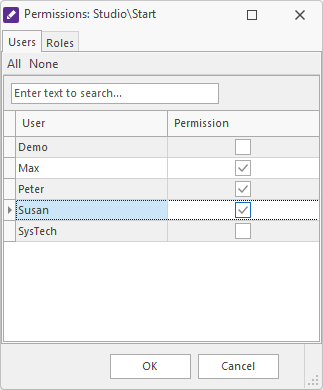
Permissions can be assigned for files. Differently to the other database objects, permissions are defined on the file itself and not on the user or role. If no permissions are set, then all users can access and modify the file.
Example:
API Commands: