
Appearance
Operations
This section describes how to operate and maintain the Taurec server after installation and configuration. It covers daily tasks, automation, monitoring, and troubleshooting. For changing server settings, see the Configuration section.
Manual Operations
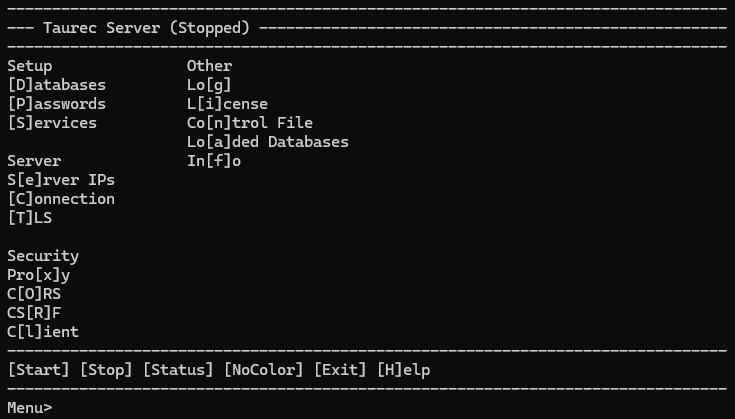
The server provides a terminal-based menu interface for managing all aspects of operation. Use keyboard navigation and menu selections to control the server, manage databases, and perform automation tasks.
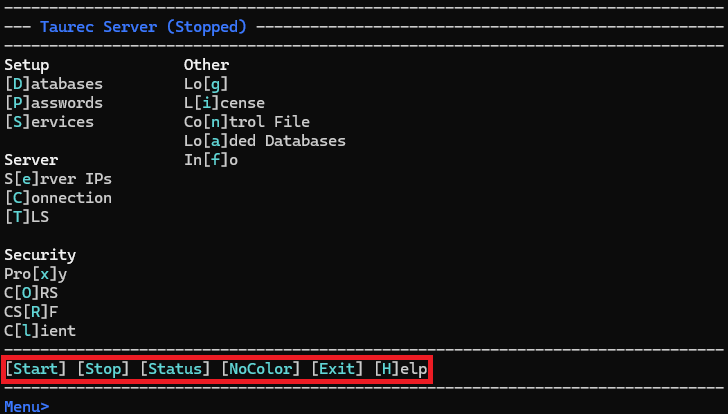
Start
Starts the server with the current parameters. To use the current parameters on the next start, save them in the control file. The server runs inside the loaded sever application. When the application is closed with Exit, the server also stops.
Stop
Stops the server.
Status
Shows the status of the server.

NoColor
Hides color and text styles.
Exit
Quits the server.
Database Management
The server allows management of loaded databases through menu commands and configuration files. Databases are stored in directories, each containing subfolders for objects like dimensions, tables, or users. You can create, load, save, and unload databases from the menu or via scripts.
Automation
The server can be operated automatically using cron jobs or as a systemd service. These features enable unattended operation and regular maintenance. See:
- Automatically Save a Database: Schedule regular database backups using cron.
- Automatically Run the Server: Run the server as a systemd service for automatic startup.
Advanced Startup & Troubleshooting
For advanced startup, automation, and troubleshooting, see the full list of Start Parameters. A pure command-line mode is available by starting the server with the StartUnattended parameter.