
Appearance
Logon
First, you need to log in to the database. For this, the Logon button in the Taurec ribbon is used.

Dialog
After pressing the button, a dialog comes up. It contains the User and Connection page.
User
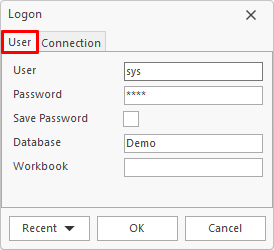
User
Name of the user. The user name is not case sensitive.
Password
Password for the user. The password is case sensitive.
Save Password
Saves the password after logon. It is not recommended to save the password.
Database
Database to connect.
Workbook
Start workbook after logon. The workbook is downloaded from the server and opened.
Connection
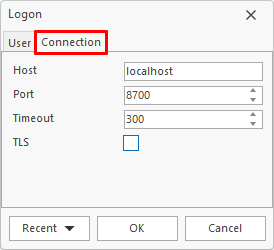
Host
Name or IP of the server host. If the server runs on the same machine, localhost or 127.0.0.1 can be used. If the host field is empty, 127.0.0.1 is used.
Port
Port of the server. The default port is 8700.
Timeout
Timeout for the session in seconds.
TLS
This option must be enabled when the server uses TLS.
Connection Info
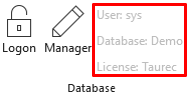
After successful logon, the connection info (user, database and license) is visible in the Database ribbon group (gray text).
User Types
There are two types of users: Normal and Designer.
Normal User
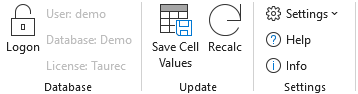
If the user has no designer permission, the following default functions are available.
Designer User
If the user has designer permission, the ribbon is expanded with additional designer functions.
