Appearance
Scripting
Scripting allows advanced automation and customization beyond visual scripts. It is used when basic automation is not sufficient, such as for creating initial plan values, processing text files, or running complex commands.
On the server side, scripts can run commands directly on the server. Alternatively, the API can be used to issue commands from the client using several programming languages.
Commands
Command objects store one or multiple API commands with specific parameters for filtered items in text format. Commands can be grouped into Command Groups to run a list of commands in sequence.
SET RECORD
TABLE=[Costs]
ITEM=[Month].[2020-01]
ITEM=[Product].[A001]
VALUE=[CostsPerUnit].[0.53]
VALUE=[Amount].[150]
Name and Captions
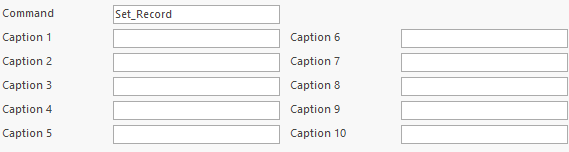
Each command has a unique name in the database. Up to 10 captions can be added; these do not need to be unique.
Multiple Commands and Comments
A command can store several text commands. Commands are separated by a line with at least two minus signs. Comments use two slashes. The separator line must not contain any other character.
Example:
// Creates a dimension
CREATE DIMENSION
DIMENSION=[ProductGroups]
--
// Adds an item
CREATE ITEM
DIMENSION=[ProductGroups]
ITEM=[Laptop]
--
// Adds another item
CREATE ITEM
DIMENSION=[ProductGroups]
ITEM=[Desktop]
Replace Tokens
When commands are automatically generated in spreadsheets, it can be necessary to include line breaks within a single row. The following special tokens are replaced when the command runs:
| Token | Replaced By |
|---|---|
| <CRLF> | Line Break |
| <NewLine> | Line Break |
| <NL> | Line Break |
| <Tab> | Tabulator |
Example:
CREATE DIMENSION<NewLine>DIMENSION=[ProductGroups]<NewLine>--<NewLine>CREATE ITEM<NewLine>DIMENSION=[ProductGroups]<NewLine>ITEM=[Laptop]becomes:
CREATE DIMENSION
DIMENSION=[ProductGroups]
--
CREATE ITEM
DIMENSION=[ProductGroups]
ITEM=[Laptop]
Variables
Global variables can be stored in the database. This is useful for settings such as the current fiscal year. Variables can be used in commands by placing an identifier in the command. When the command runs, identifiers are replaced.
Format of an identifier:
- Character <.
- The keyword Var or Variable.
- Character :.
- The name of the database variable.
- Character >.
Example: <Variable:FiscalYear>
Example
The database variable FiscalYear contains the value 2020.
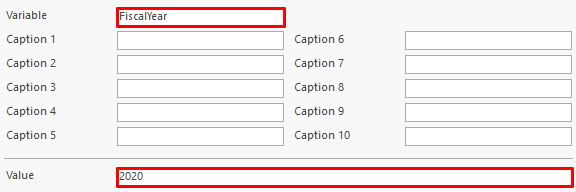
In the command, the variable is used in a filter:
CONSOLIDATE RECORDS
TABLE=[Sales]
DIMENSION=[Region]
DIMENSION=[KeyAccounter]
SUM=[Amount]
FILTER=[Year].[<Variable:FiscalYear>]
When the command runs, the variable is replaced with the database value:
CONSOLIDATE RECORDS
TABLE=[Sales]
DIMENSION=[Region]
DIMENSION=[KeyAccounter]
SUM=[Amount]
FILTER=[Year].[2020]
Command Groups
Command groups are separate objects in the database. Each group can contain any number of commands. When the command group runs, the assigned commands are executed in order.
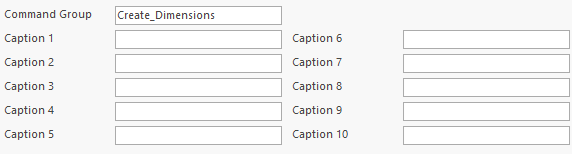
Each command group has a unique name in the database. Up to 10 captions can be added; these do not need to be unique.