
Appearance
Insert Consolidation
Opens a dialog to select a workspace consolidation. The window is divided into two areas. On the left, the opened workspace are displayed. On the right, the user can select a consolidateion of the selected workspace.
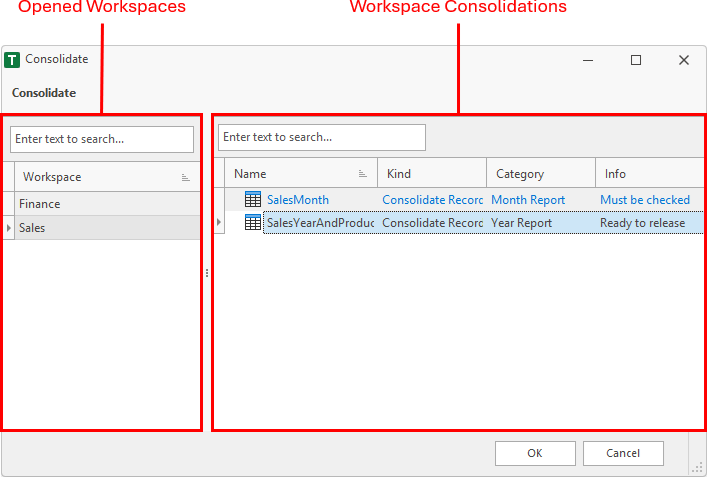
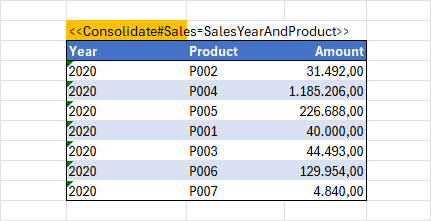
After click on the OK button, the active cell of the worksheet is filled with a tag and the fill color is changed to orange. Below this cell the consolidation values of the workspace are displayed.
Tag Format
The inserted tag cell has a specified format. The addin searches for this format. When a cell value matches, the consolidation values are displayed in the cells below.
- The tag cell starts with << and ends with >>.
- First, the static text Consolidate indicates that a consolidation should be displayed. After this text, a # must be set.
- Then a text pair follows, which is separated by an equals sign. The first part indicates the workspace and the second parts indicates the consolidation of the workspace.