
Appearance
Trc_Ws_FilterText
Gets the text of a workspace filter.
Function Parameters
Parameter 1
Workspace. E.g. Sales.
Parameter 2
Filter of the selected workspace. E.g. FilterYear.
Samples
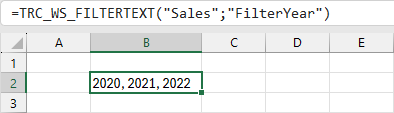
Shows the selected items of the filter FilterYear of the workspace Sales.
=TRC_WS_FILTERTEXT("Sales";"FilterYear")
In this sample the years 2020, 2021 and 2022 are selected in the FilterYear.
Assistant Window
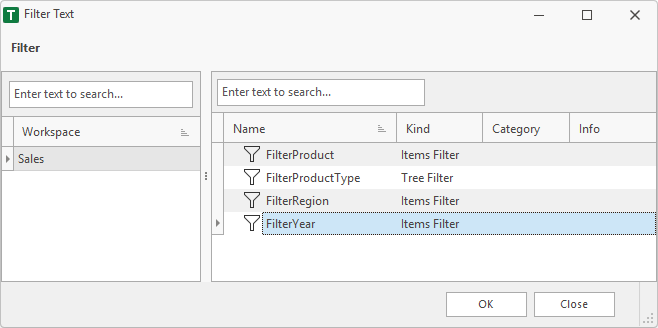
The assistant window can be used to generate a funtion.
1. Filter
In the left area, the user must select a workspace. In the right area the filters of the selected workspace are displayed.
2. Finish
After finish the function is placed in the selected cell of the worksheet.
=TRC_WS_FILTERTEXT("Sales";"FilterYear")